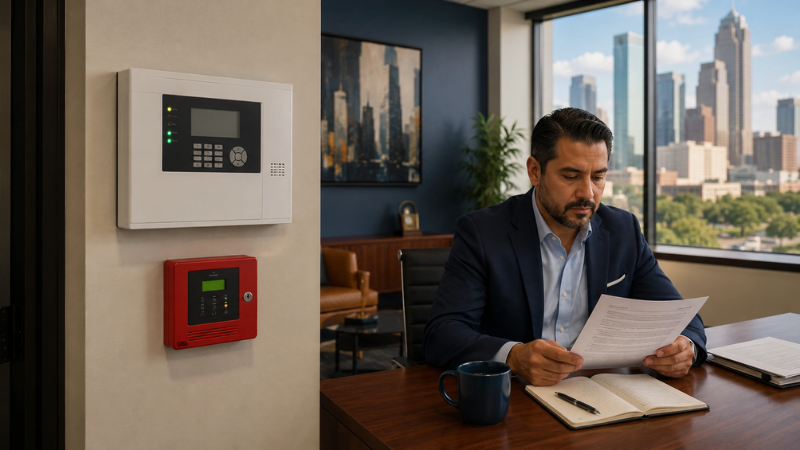


Access control is supposed to be the system you don't think about. You wave a badge, the door opens, you go to work. That's the deal.
Until it isn't.
Most of the access control problems we see at DSC don't show up with sirens or sparks. They show up at 7:45 on a Monday morning, when somebody is standing outside a side door with a coffee in one hand and a badge in the other, and nothing is happening. The lights on the reader are off. Or red. Or the right green color, but the door still won't open.
These are the quiet failures — the kind that build up while everything looks fine. Below are five of the most common, and what's actually going on behind the door.
Locked Out by Your Own Badge: 5 Ways Access Control Quietly Fails
Every access control system tracks two things: who is allowed in, and where they're allowed to go. The system is only as accurate as the list it reads from.
When people leave, change roles, or move to a different building, somebody has to update that list. In most facilities, that "somebody" is part of HR's checklist, part of a building manager's checklist, and part of a department lead's day. When everybody owns it, nobody owns it.
We routinely audit customer systems and find badges still active for people who left the company two or three years ago. Sometimes we find contractor badges issued for a one-week project in 2023 that were never disabled. None of these are dramatic. None of them set off an alarm. But each one is a key floating around the world that can still open your doors.
A practical fix: review your active credential list at least once a quarter. Match it against your current employee roster. Anything that doesn't have a clear owner gets disabled. It takes about an hour, and it closes a real risk that almost no one can see from the outside.
2. Dead Batteries in Wireless Locks
A lot of modern access control depends on wireless locks — especially for interior doors, IT closets, and tenant suites where running new wire is expensive. Wireless locks are clean, fast to install, and do exactly what they should.
Until the batteries die.
Industry guidance says commercial-use electronic locks last roughly six to twelve months on alkaline batteries, depending on traffic. In practice, doors near a coffee station, a copier, or a shared bathroom run through batteries faster than the spec sheet suggests. Most locks blink a low-battery warning before they fail, but those warnings tend to flash on a door nobody walks past during business hours.
The standard fix is a proactive annual replacement. Pick a month, change every battery in every wireless lock at once, and write the date on a label inside the cover. It's not glamorous, but it prevents the call from a tenant at 6 AM saying their door is dead.
3. Reader Drift After a Power Blip
Houston gets storms. Even without storms, commercial buildings see brownouts, surges, and quick power flickers all the time. Access control panels and card readers are more sensitive to these events than most people expect.
After a surge, a reader might stay online but read cards inconsistently. Some cards work. Some don't. The same card works in the morning and not in the afternoon. The panel itself might be fine, but the reader has drifted — its tuning has shifted just enough that weaker cards stop being recognized. From the outside, this looks like the user's badge is broken. From inside the system, the reader is the problem.
The protection here is two-part. First, every access control panel should sit on a UPS — an uninterruptible power supply — that filters incoming power and keeps the system running through short outages. Second, after any major weather event or known power issue, somebody should walk the readers and confirm they're all reading reliably. We do this as part of our quarterly preventive maintenance visit, but if you don't have a service agreement, it's still worth doing in-house.
4. Software Updates That Didn't Quite Land
Access control platforms are software. Like all software, they push updates — to the management application, to the panel firmware, and to the reader firmware itself. Most manufacturers recommend checking for updates at least every six months.
The risk isn't the update. It's the partial update. A firmware push goes out to twenty panels and lands cleanly on nineteen. The twentieth was offline at the moment of the push, so now it's running last year's firmware while the head end expects the new version. The system still works, mostly. Then, weeks later, a small feature stops working — a schedule won't sync, a new badge won't enroll, a door fails to lock down during a drill.
This is one of the failures we see most often when customers manage their own access control without a partner. The update happens, gets logged as successful, and the gap doesn't surface until something important breaks. A real preventive maintenance visit confirms every panel and reader is on the version it should be on, and reconciles the ones that aren't.
5. No Backup When the Card Itself Is the Problem
Sometimes a badge stops working for reasons nobody can explain on the spot. Maybe it sat in a wallet next to a magnet for a week. Maybe the chip cracked. Maybe it was issued from a printer that was running low on ribbon and the encoding didn't take.
When this happens, the user is stuck outside, and the building manager is on the phone trying to figure out whether to issue a temporary card, walk the person in, or override the door from the management software. None of those options is fast at 7:45 AM.
The fix is to have a backup plan in place before the failure. That can look like a small inventory of pre-encoded loaner cards, a documented override procedure that any on-duty manager can run, or a mobile credential available as a fallback for users who'd rather use their phone. Whatever the choice, the rule is the same: don't let the first time you think about a backup be the morning you need one.
When to Look Closer at Your System
None of these failures are catastrophic on their own. The pattern that matters is when more than one is true at the same time — outdated credentials plus a few low batteries plus a reader that's been drifting since the last storm. Each problem is small. Together, they slowly turn an access control system into a system you can't really trust.
If anything in this article hit close to home, it's worth pulling a recent audit of your active credentials, walking your wireless locks, and checking when your panels were last updated. We're happy to do that walkthrough as part of a quarterly preventive maintenance visit, whether DSC installed your system or not. We service systems we put in and systems we didn't — the goal is keeping your doors working the way you expect them to.
DSC designs, installs, and supports access control systems for commercial and industrial facilities across Texas. If you'd like a second set of eyes on your system, we're happy to walk through it with you. Contact us to start the conversation.