4 min read

Mobile Credentials vs. Key Cards: Is It Time to Make the Switch?

Mobile Credentials vs. Key Cards: Is It Time to Make the Switch?

If you manage a commercial facility, you've probably heard the buzz around mobile credentials. The idea is simple: instead of handing out plastic key cards to everyone who needs access to your building, you send them a digital credential they use right from their smartphone.

It sounds convenient — and it is. But is it the right move for your organization right now? Let's take an honest look at how mobile credentials compare to traditional key cards, where each one shines, and what you should think about before making any changes.

How Traditional Key Cards Work

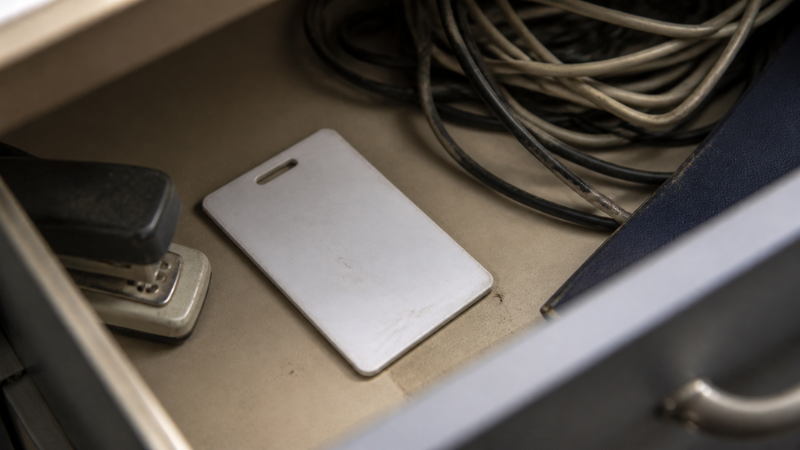
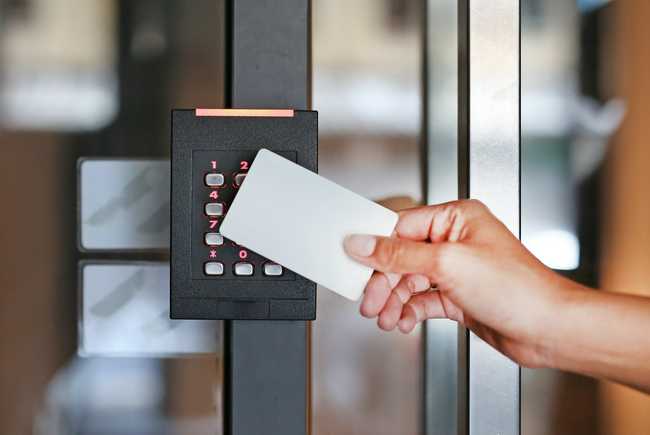
Key cards have been the backbone of commercial access control for decades. An employee or tenant gets a plastic card — usually a proximity card or a smart card — and they tap or swipe it at a reader to unlock a door. It's a system most people understand without any training.

The technology is proven and reliable. For many organizations, it works just fine. But there are some real limitations that become harder to ignore as your operation grows.

For starters, traditional proximity cards (the 125kHz kind that are still common in older systems) are surprisingly easy to clone. Someone with a cheap device purchased online can copy a card in seconds. That's a security gap many facility managers don't realize they have.

There's also the ongoing cost and hassle of managing physical cards. Industry data suggests that roughly 20 percent of key cards are lost or stolen every year. That means you're constantly ordering replacements, programming new credentials, and deactivating old ones. For a property with hundreds of cardholders, that adds up fast — both in dollars and administrative time.

What Mobile Credentials Bring to the Table

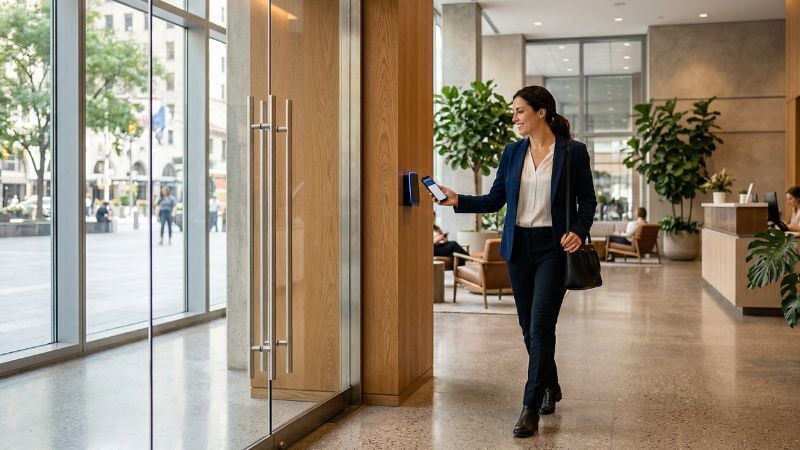
Mobile credentials store access permissions on a person's smartphone instead of a plastic card. When they approach a door, they use Bluetooth, NFC, or a combination of both to communicate with the reader — often without even taking the phone out of their pocket.

Here's where things get interesting from a security standpoint. Mobile credentials typically use advanced encryption (AES-256, the same standard used in banking) that makes them far harder to clone than a traditional proximity card. On top of that, the phone itself adds another layer of protection — most people lock their phones with a fingerprint, face scan, or passcode. That means even if someone picks up a lost phone, they can't use the credential without unlocking the device first.

From an administrative perspective, the benefits are significant. When a new employee starts, you send them a digital invitation by email. No card to print, no shipping, no waiting. When someone leaves, you revoke their access instantly from a dashboard — no need to hope they return their badge on the way out.

Mobile credentials also open the door (no pun intended) to smarter building management. Many platforms let administrators set time-based access rules, monitor entry activity in real time, and push updates to credentials without touching a single piece of hardware.

The Honest Tradeoffs

Mobile credentials aren't perfect, and it's worth being upfront about the challenges.

Device dependency is the most common concern we hear. If someone's phone dies or they forget it at home, they can't get in. The good news is that most modern platforms have addressed this — many support a "power reserve" mode that keeps the credential functional for several hours even after the phone screen goes dark. But it's still something you need to plan for, whether that means keeping a small inventory of backup cards or installing a keypad as a secondary option.

Infrastructure compatibility is another consideration. Not every existing access control system supports mobile credentials out of the box. Depending on what you have installed today, you may need new readers, updated firmware, or in some cases a different platform altogether. That's not necessarily a dealbreaker, but it's important to understand the scope before committing.

User adoption matters too. Most people under 40 will take to mobile credentials naturally. But if your workforce or tenant population skews older, or if employees don't all carry smartphones, you'll want a transition plan that doesn't leave anyone locked out.

You Don't Have to Choose One or the Other

Here's something that often gets lost in the conversation: you don't have to go all-in on mobile credentials overnight. Many modern access control systems support both card-based and mobile credentials at the same time. That means you can roll out mobile credentials to departments or buildings where it makes the most sense, while keeping cards in place everywhere else.

This kind of phased approach reduces risk and gives your team time to work out any kinks before expanding. It also means you're not throwing away your existing card investment — you're building on it.

What to Consider Before You Move Forward

If you're thinking about mobile credentials, here are a few practical questions to work through:

  • What system are you running today? Some platforms already support mobile credentials with a simple update. Others may require a larger upgrade.
  • What does your cardholder population look like? A tech-forward corporate office is going to adopt faster than a manufacturing floor with shared workstations.
  • What's your biggest pain point? If you're spending significant time and money replacing lost cards, mobile credentials could deliver a fast return. If your current system is working smoothly, there may not be urgency to change.
  • Do you have a partner who can guide the transition? This isn't just a hardware decision — it involves system configuration, user onboarding, and ongoing management. Working with an experienced integrator makes the process much smoother.

The Bottom Line

Mobile credentials are not just a trend — they represent a meaningful improvement in how organizations manage building access. They're more secure, easier to administer, and more flexible than traditional cards. But like any technology decision, the right answer depends on your specific situation.

The best approach is usually a conversation with someone who understands both your current system and where the technology is headed. If you're curious about what mobile credentials could look like for your facility, we're happy to walk through your options — no pressure, just a practical look at what makes sense.


DSC designs, installs, and supports access control systems for commercial and industrial facilities across Texas. Whether you're upgrading an existing system or starting from scratch, we're here to help you find the right fit. Contact us to start the conversation.

RS2 Technologies:

RS2 Technologies: "Why Mercury?"

DSC Formalizes Agreement with to Become RS2 Technologies Authorized Dealer:

Read More
Touchless Door Hardware for Commercial and Industrial Facilities

Touchless Door Hardware for Commercial and Industrial Facilities

Now more than ever, business leaders are looking for ways to keep people safe. Fortunately, they’re finding answers with technology.
Read More
5 Ways to Improve IoT Device Security

5 Ways to Improve IoT Device Security

From automated access control and security devices to smart lighting systems, IoT-enabled devices are changing the way we look at security solutions...

Read More