4 Things a System Checkup Can Tell You
Understanding What a System Checkup Really Tells You Most buildings don’t ignore their systems on purpose.
AI-powered video search is the biggest practical change in surveillance this year. Here is what it does, what our manufacturer partners are shipping, and what it takes to actually use it.
Here is how a camera investigation used to go.
Something happens at your building. A car gets keyed in the lot. A pallet walks off the dock. A door gets propped open for an hour on a Saturday. You know roughly when. You know roughly where. So someone on your team sits down with the video and starts scrubbing.
Two hours later, they have found it. Or they have not.
That is the part of video surveillance nobody puts in the brochure. The cameras work fine. The recording works fine. The hard part is the looking.
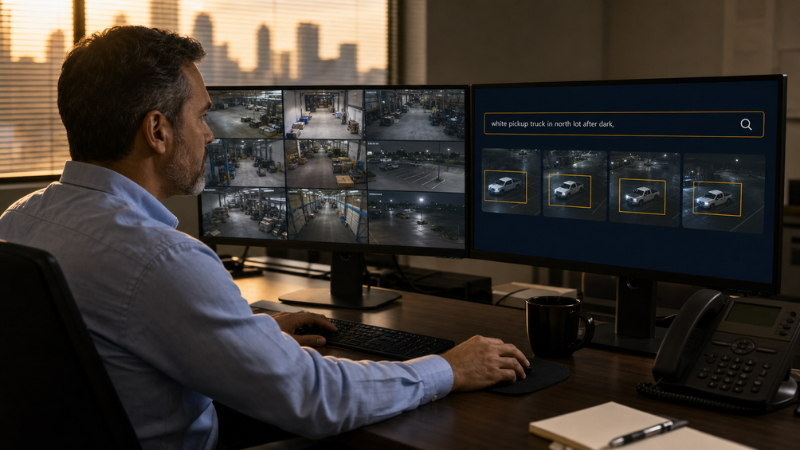
This year, that changed in a real way. The newest video platforms let you type what you are looking for in plain English and get answers back in seconds. Not "camera 12, Saturday, 2 p.m. to 4 p.m." More like "man in a red jacket near the loading dock." Or "white pickup truck in the north lot after dark."
It sounds like a small thing. It is not. For most of the buildings we work in, the time it takes to find footage is the difference between a camera system that earns its keep and one that just fills a closet with hard drives.
For years, cameras could search by attribute. You picked from a menu. Person or vehicle. Red shirt or blue shirt. Moving left or moving right. That was useful, but limited. If the thing you cared about was not on the menu, you were back to scrubbing.
The new approach works differently. The system builds its own description of what it sees, then lets you search those descriptions using your own words. Industry reports put a typical incident review at two to six hours of manual work, especially when the event crosses several cameras or happens overnight. The same search now takes minutes.
You are still the one making the call. The software narrows thousands of hours down to a short list of clips. A person still watches those clips and decides what happened. That difference matters, and the better platforms are careful to keep it that way.
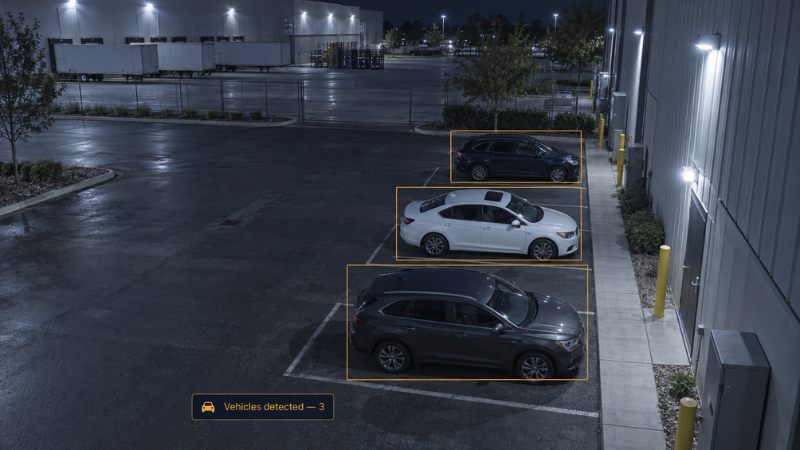
Genetec began rolling out AI-based natural language search in Security Center SaaS in February. You can search using everyday details — a clothing description, a vehicle make and model, an approximate time — across multiple sites and across mixed camera brands. Genetec also added similarity detection, entry and exit detection, and visual trajectory search. That last one lets you follow one person from camera to camera instead of opening each feed by hand.
Avigilon took a slightly different angle with Visual Alerts in Unity Video. Instead of only searching after the fact, you describe a condition in plain language and the system watches for it going forward. Describe the object, the activity, or the condition, and Unity creates an event when it finds a match. The AI runs on premise, so your video never has to leave the building. Unity also carries AdaptAI analytics for license plate reading, unusual motion detection, and firearm detection.
i-PRO built free text search into Active Guard 3.0. Operators can type things like "fire truck," "person who fell down," or "electric scooter" and get real results, even though nobody ever tagged those things. It also added person similarity search, which finds the same individual again across your footage despite changes in lighting, camera angle, or clothing. Active Guard runs fully on premise with no internet connection required. In March, i-PRO went further and put generative AI directly on the camera itself. Its new X-Series fisheye models started shipping in June.
Hanwha Vision is coming at this from the data side. Its SightMind dashboard pulls WiseAI statistics from cameras across all your sites — people counts, vehicle counts, crowd size, queue length — and lets you ask questions about that data in plain language. Hanwha calls the bigger idea Proactive Vision Intelligence: using video to spot patterns and problems before they turn into incidents, not just to review them afterward.
Four companies, four approaches. The direction is the same.
This is the part worth being straight about. None of this is a software patch you apply on a Monday morning.
Most of these features depend on newer cameras. The analytics either run on the camera itself or on a server with enough horsepower to process the video. A ten-year-old camera on an aging recorder is not going to suddenly start answering questions.
Here is what we look at before recommending any of it:
Camera age and model. AI features usually require current-generation cameras from that manufacturer. A partial upgrade often makes sense — put new cameras where investigations actually happen, and leave the rest alone for now.
Where the processing lives. On premise keeps your video inside your building, which matters for schools, government facilities, and anyone working under privacy rules. Cloud is easier to manage across many sites. Neither one is automatically right.
Licensing. These are usually add-on licenses, not included features. The math is worth doing. If your team burns six hours a month hunting for footage, the license may pay for itself.
Camera placement and condition. This one gets skipped, and it is the one that decides whether any of it works. AI cannot describe what the camera cannot see. A dirty dome, a lens aimed at a wall, or a camera mounted too high to catch a face will give you poor results no matter how good the software is.
That last point is not a sales pitch. It is the most common reason a building is disappointed after an upgrade.
If your system is more than five or six years old, the honest answer is that you are probably a camera refresh away from this, not a software upgrade. That is fine. It just changes the conversation from "turn on a feature" to "plan a phased replacement."
If your system is newer, there is a decent chance the capability is already sitting in your platform, unlicensed and unused. We have run into that more than once.
Either way, the first question is not which AI tool to buy. It is how much time your team spends looking for video today, and what it costs you when they cannot find what they need.
If you want help sorting out what your current system can do — or what a realistic path forward looks like — give us a call at (713) 464-8407. We are happy to walk your site and tell you plainly what we see.
Understanding What a System Checkup Really Tells You Most buildings don’t ignore their systems on purpose.
In today’s world, there are a variety of circumstances that can make managing physical security solutions from remote locations a necessity. Whether...
For most of the history of video, cameras have done one job. They record what happens. When something goes wrong, someone goes back, scrubs through...